Overview
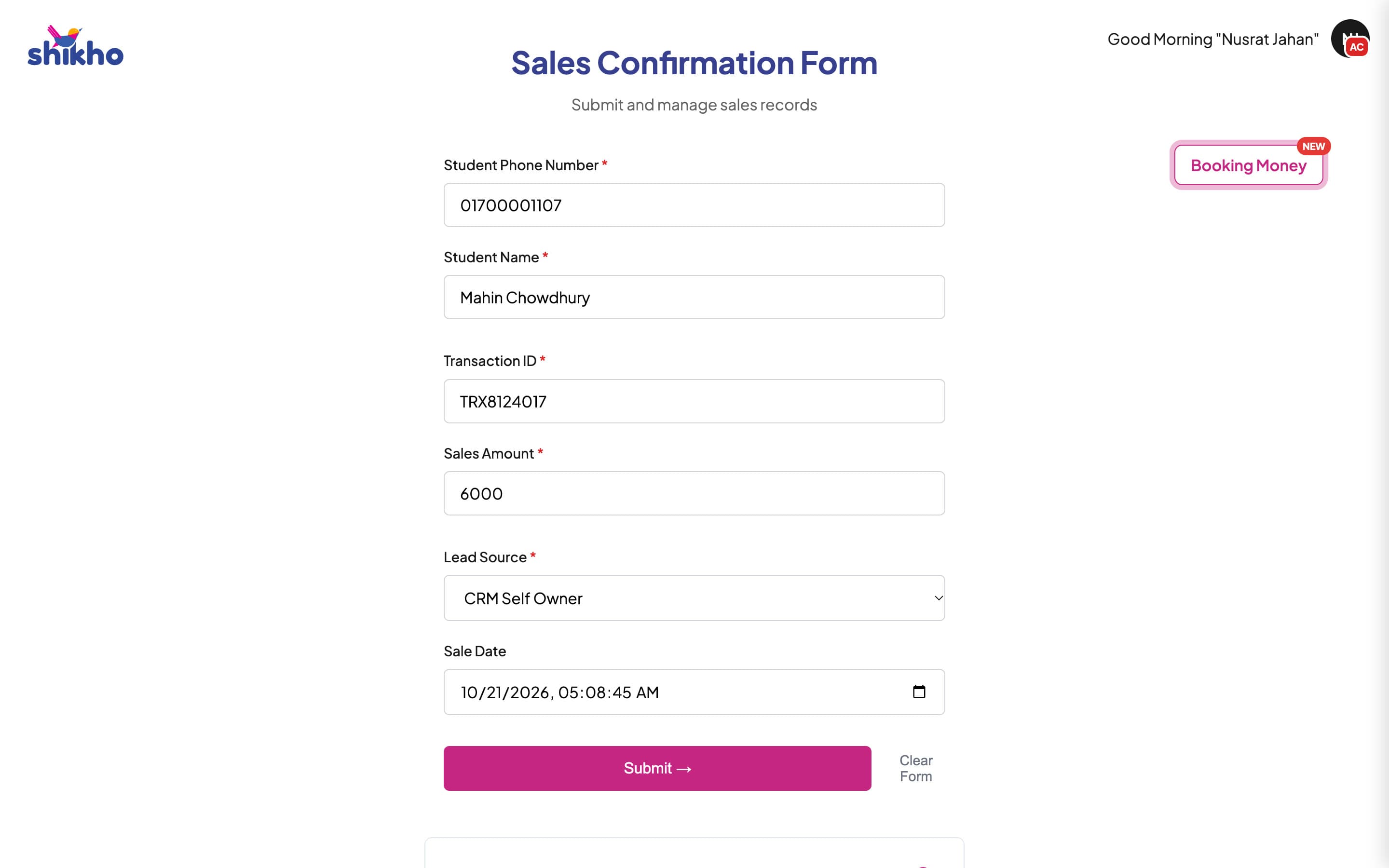
Every confirmed sale at Shikho needs a record: who sold it, to which student, with which payment. Those records feed the sales reports and agents' targets. I built the form the whole sales floor logs them in, on Google Apps Script, writing straight to the Google Sheet the reports already read.
The problem
- Everyone kept their own sheet. Sales lived in personal and team sheets, in different formats, and someone had to merge them by hand before any report.
- Mistakes found too late. Wrong numbers and transaction IDs only came up at reporting time, long after anyone remembered the sale.
- No trail. When a record changed, nobody could tell who changed it or what it said before.
The solution
One form with a login per agent. Each agent logs a sale in six fields, checked as they type, never typing their own name because it comes from the login, and sees their own recent entries underneath. Team leaders sign in with a password and can search, fix or delete entries for their team.
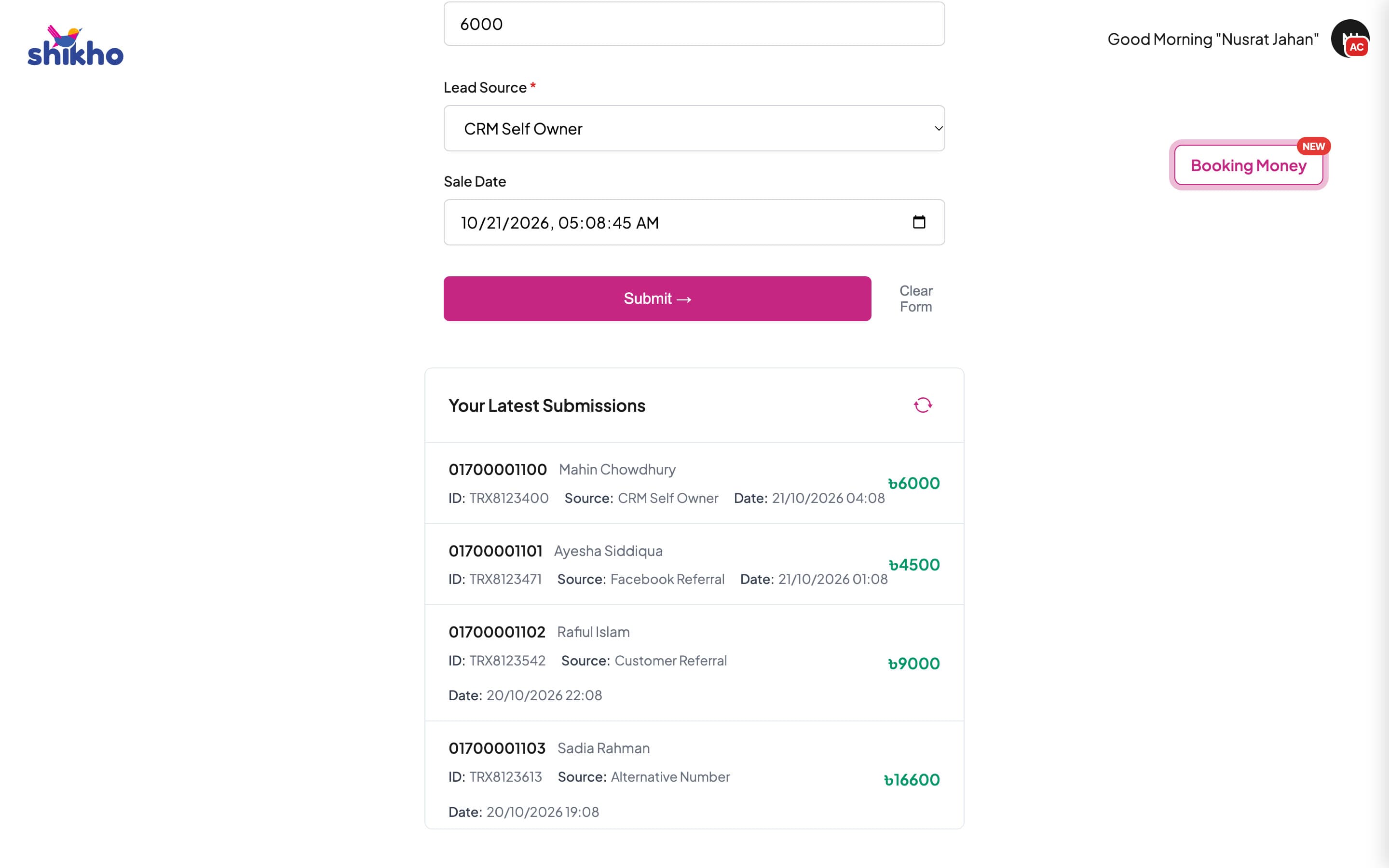
- Fresh entries only. A sale can be logged for today or yesterday, with an extra day after the weekend, so records stay close to when the sale happened.
- Fixes have a window. Team leaders can edit an entry for two days. After that it is locked, so reports don't shift under anyone's feet.
- Every change is logged. Each edit and delete is written to a log with who made it and what the row said before.
Booking money, in the same form
Agents also take booking payments, which used to go through a separate form. Rather than share a new link and train 250+ people on it, I added a Booking Money button that opens a side drawer inside the form they already use every day.
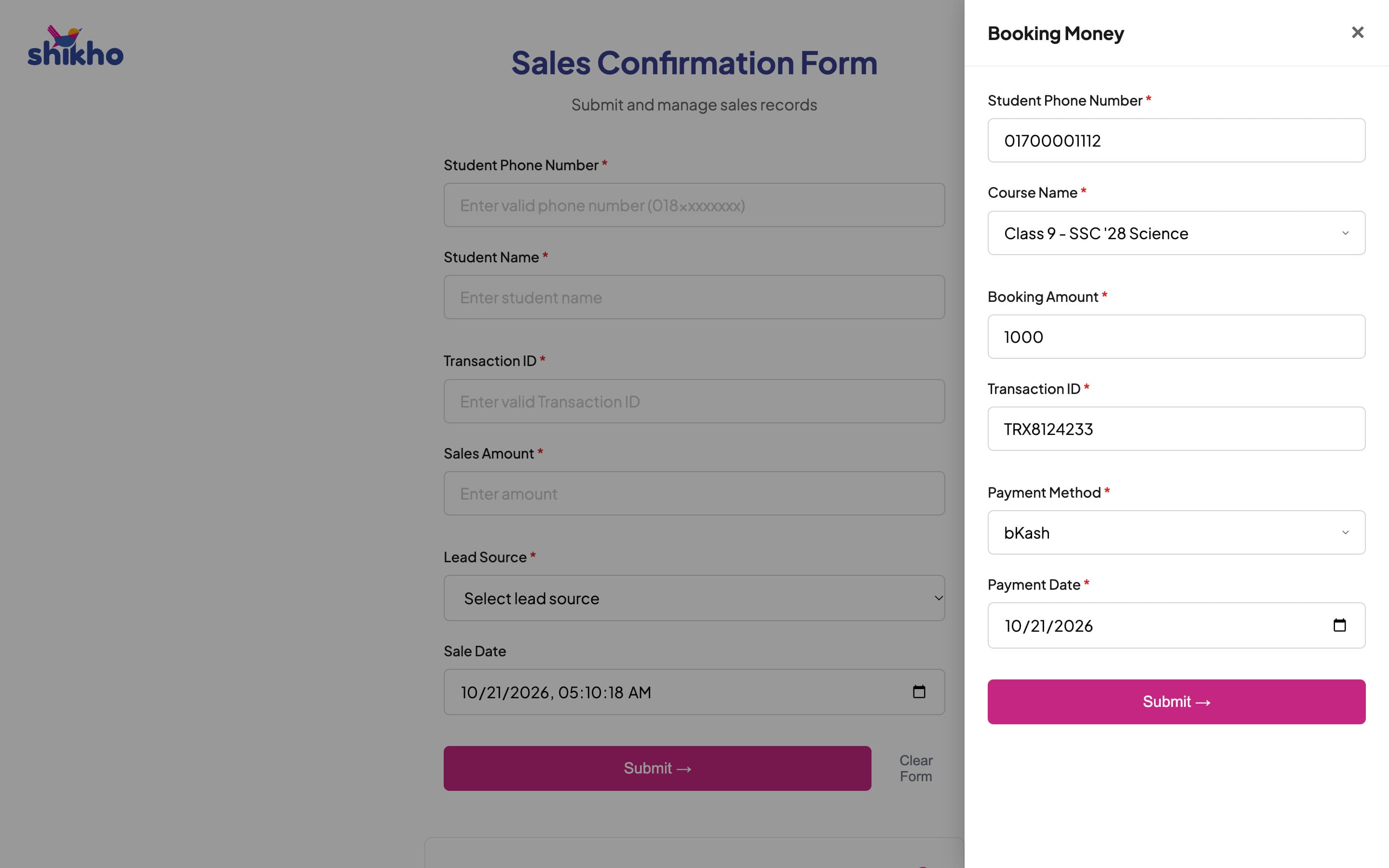
- Pick, don't type. Courses come from a list kept in a sheet, so every booking is tied to the right program.
- Who submitted it comes from the login. The agent and their team leader are looked up on the server, never taken from what the page sends.
- No double bookings. A transaction ID can only be saved once, even if two people press submit at the same moment.
- A receipt by email. The agent gets a confirmation email, and if that email fails, the booking is still saved and they're told.
Decisions and trade-offs
A form, not a CRM screen
The reports already read from a sheet. A simple web form on Apps Script wrote straight into it, shipped fast and cost nothing to host.
Pick your name, not a password
Agents don't have company email accounts, so they pick their name and stay logged in on their device. Team leaders, who can change records, use a password with a reset code by email.
Time limits over approvals
Instead of a review step for every entry, entries and edits are only allowed within a short window. It keeps the data honest without slowing anyone down.
Add to the form, don't build another
Booking money went into a drawer in the existing form. No new link to share and no new training to run.
What I learned
The best place for a new feature is often the tool people already open every day. A new link needs training; a new button next to the old ones just gets used.Back to sample work