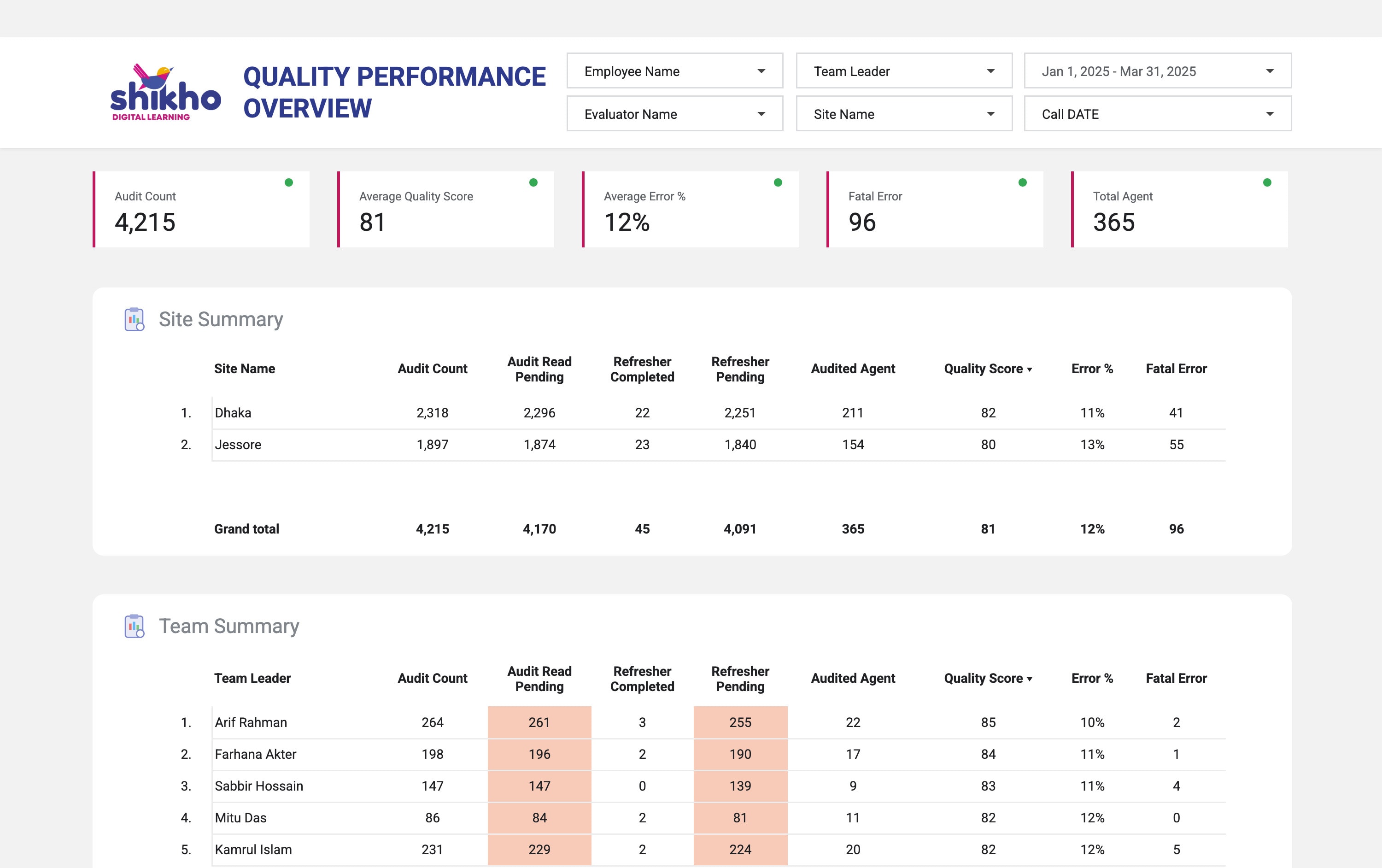
Overview
Shikho's quality team audits sales calls every day: an evaluator listens, scores the call, and flags errors. Agents then have to read their audit and take a refresher when they slip. I built the dashboard the quality team, team leaders and managers all work from, in Looker Studio on top of the audit sheets.
The problem
- 4+ hours a week of reports. Someone pulled the audit sheets together by hand every week to show scores by site, team and agent.
- Old by the time it was read. A weekly report showed last week. A team leader couldn't see today's audits for their own team.
- No way to dig in. A low team score didn't show which agents pulled it down, or who still hadn't read their audit.
The solution
One dashboard with a page for each question, and the same five filters everywhere: agent, team leader, evaluator, site and date. The overview shows the whole floor at a glance; every other page goes one level deeper.
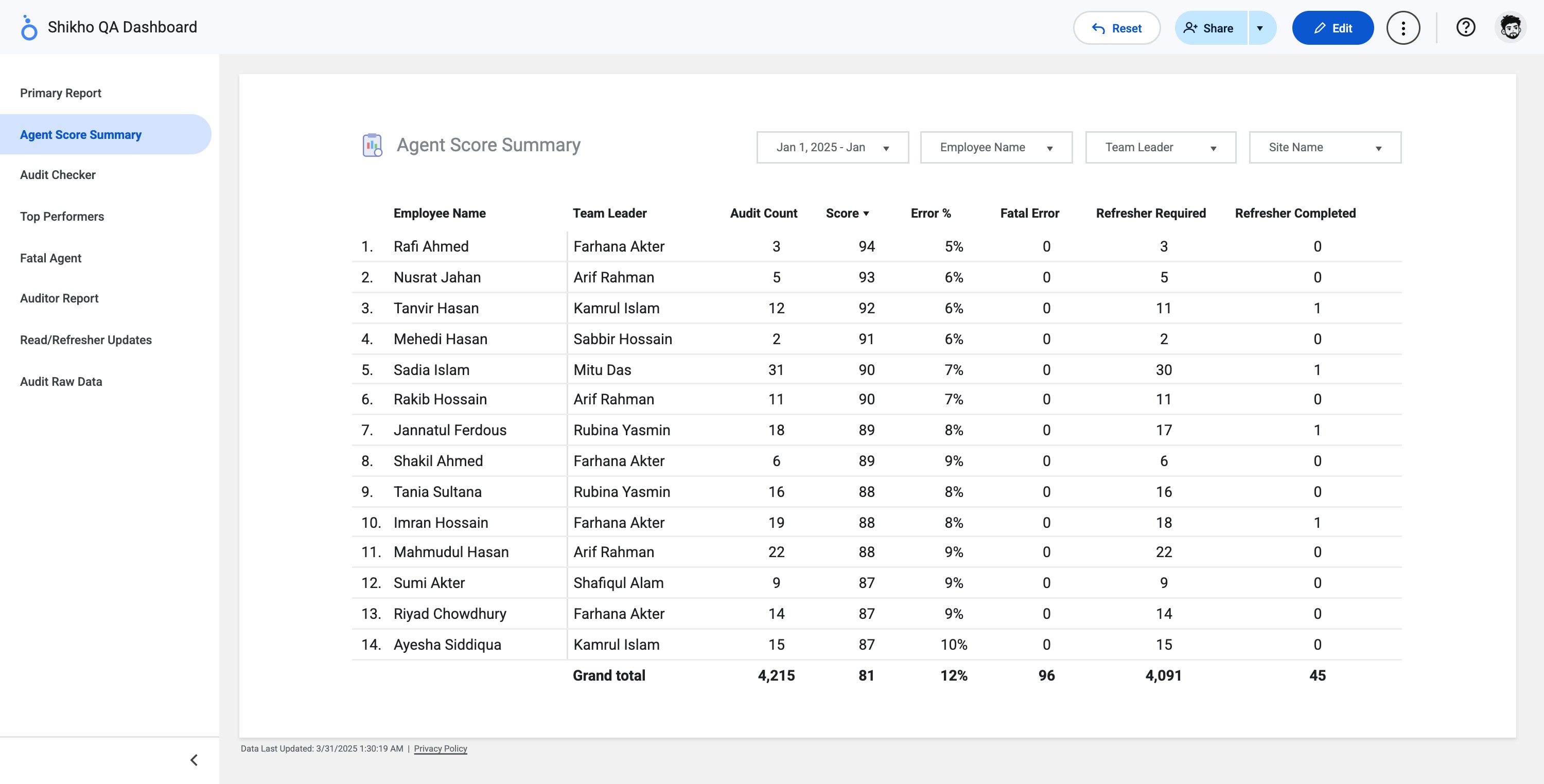
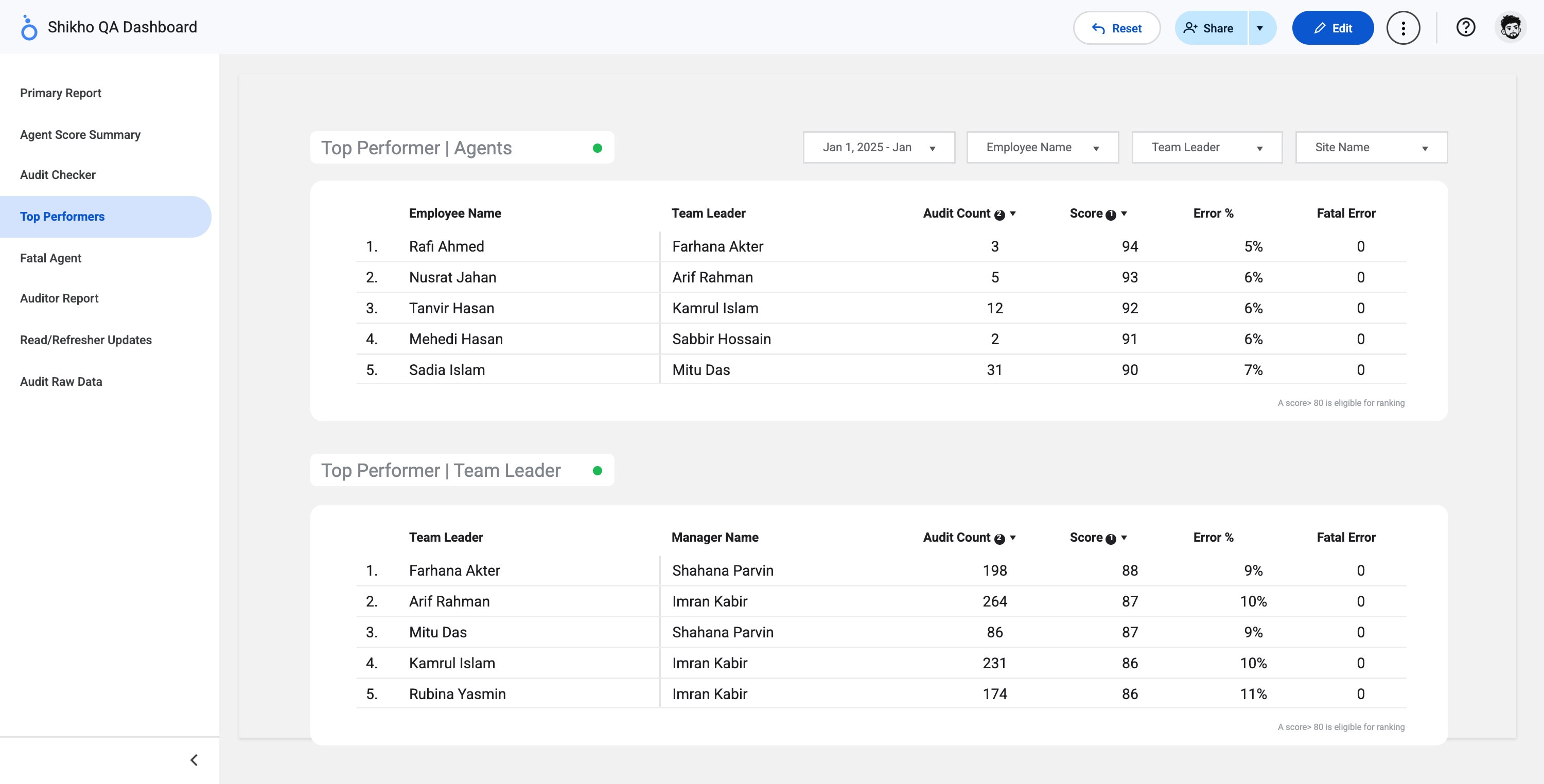
- Audit Checker and Auditor Report. Check single audits, and see how much each evaluator audited.
- Fatal Agent. Agents with a fatal error, so they get help first.
- Read and refresher updates. Who has read their audit and finished their refresher, and who hasn't.
- Audit Raw Data. Every audit row, for anyone who needs to check a number.
The sales dashboard
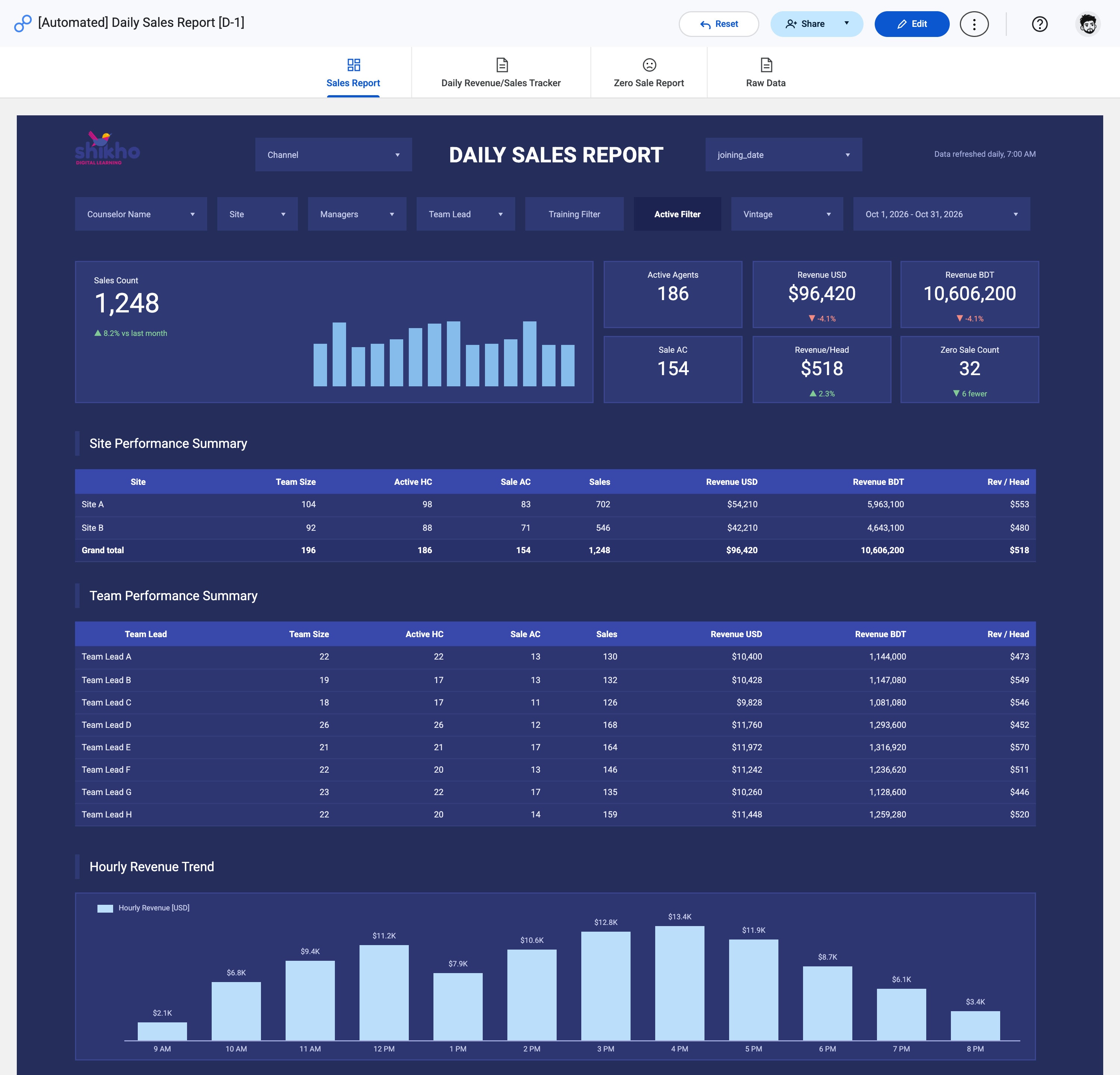
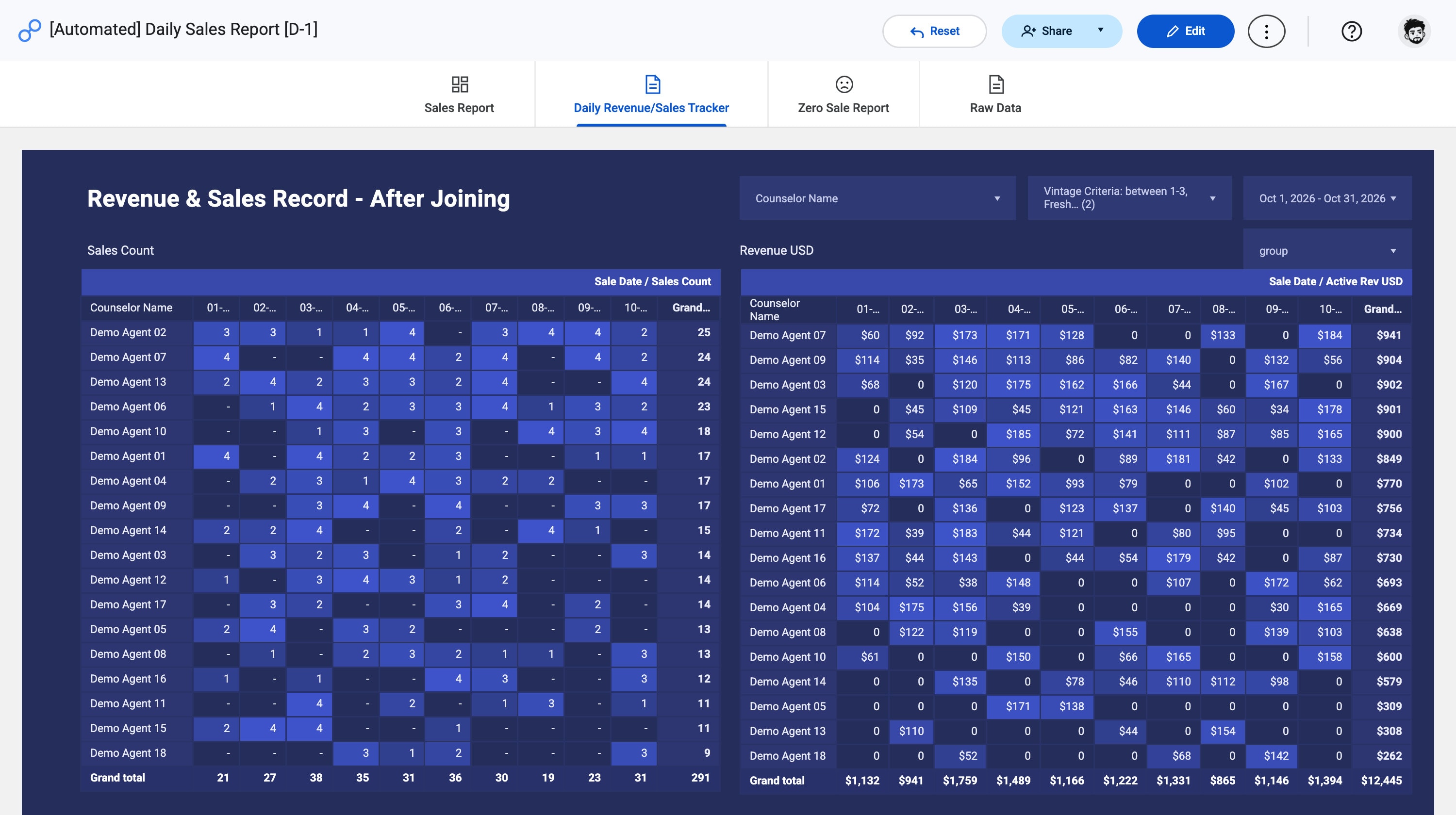
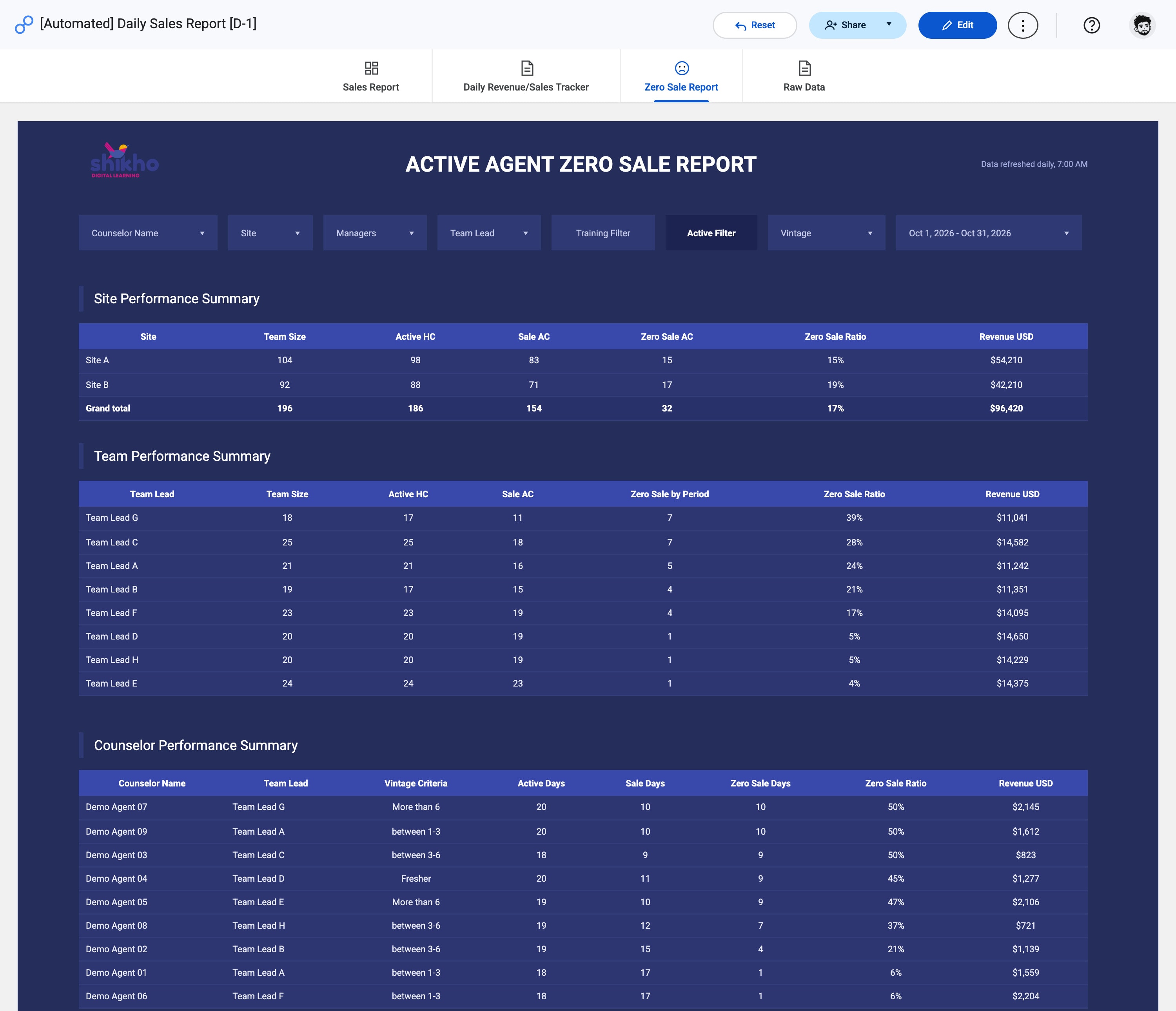
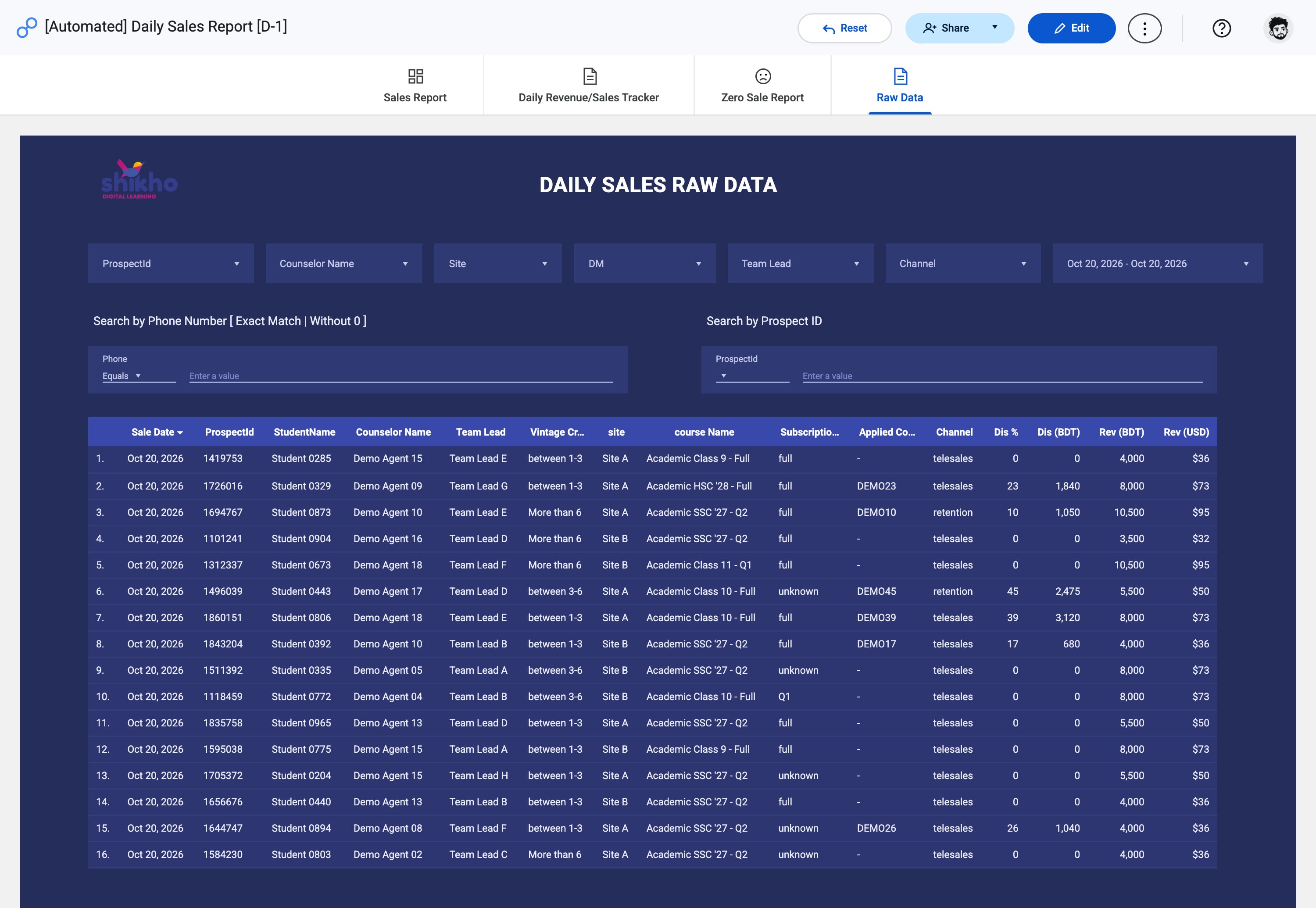
The same idea for the sales floor: one Daily Sales Report that every manager and team lead opens in the morning, with yesterday's sales already in it. Four pages, the same filters on each.
Decisions and trade-offs
Looker Studio on the audit sheets
The audits already lived in Google Sheets. Reading them directly meant no new database and no copy to keep in sync, and Looker Studio refreshes on its own.
Same filters on every page
Agent, team leader, evaluator, site and date sit in the same place on every page, so nobody relearns the dashboard page by page.
Highlight what needs doing
Unread audits and pending refreshers are shaded, so a team leader sees their to-do list, not just numbers.
A floor for rankings
Only a score above 80 counts for Top Performers, so an agent with one lucky audit doesn't beat one who is good every day.
What I learned
A report answers last week's question. A dashboard is useful when each person opens it and sees what they should do today.Back to sample work